Best Gaming Accessories in 2026: Must-Have Gear for Every Gamer
Good gaming gear does not have to cost a lot. The right mouse, keyboard, headset or controller can make your games feel smoother and your long sessions more comfortable. This guide covers the most popular types of gaming accessories, with simple pros and cons for each one.
Prefer to watch? See our gaming videos on the GameZone Freedom YouTube channel.
Core Gaming Gear
1. Gaming Mouse
Why Gamers Like It
- Adjustable DPI lets you change how fast the cursor moves
- Extra programmable buttons for shortcuts
- Wired models avoid battery worries, wireless models keep your desk tidy
Pros
- Better precision and control than most basic office mice
- Many shapes and sizes to fit different hand grips
Cons
- Wireless models need charging
- Top-end models can be expensive
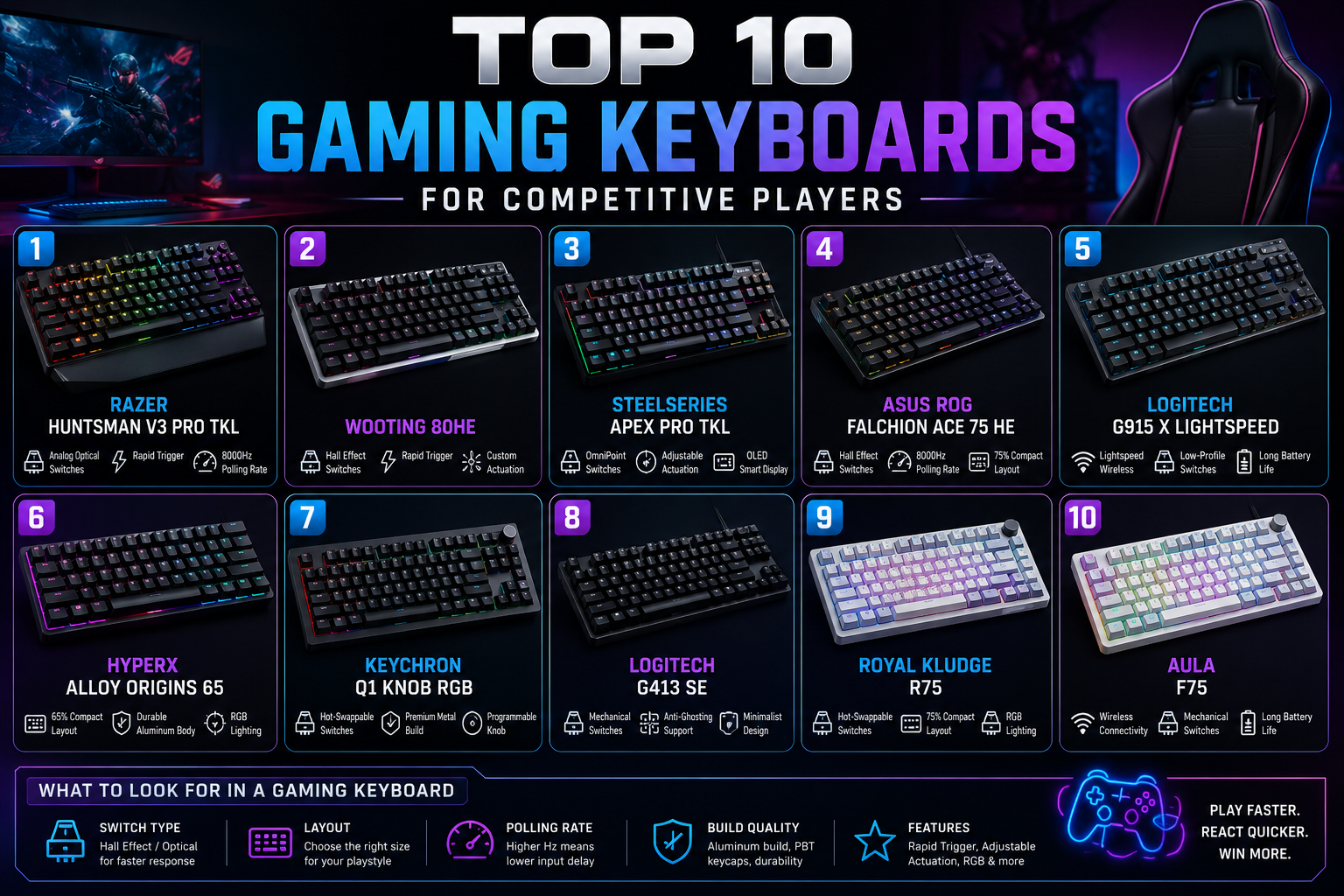
2. Mechanical Gaming Keyboard
Why Gamers Like It
- Each key has its own mechanical switch, so every press feels consistent
- Many models have customizable backlighting and key remapping
- A popular choice for shooters, MOBAs and fast typing
Pros
- Built to last through heavy daily use
- Comfortable for long sessions
Cons
- Louder than a standard membrane keyboard
- Usually costs more
3. Gaming Headset
Why Gamers Like It
- Clear directional sound helps you judge where sounds are coming from
- Built-in microphone for team chat
- One device for game audio and voice
Pros
- No need to buy a separate headphone and mic
- Many models have soft ear cushions for comfort
Cons
- Can feel warm and heavy in long sessions
- Lower-priced models often have only an average microphone
Controllers & Console Accessories
4. Wireless Gaming Controller
Why Gamers Like It
- Comfortable grip for racing, sports and action games
- Many models work with PC, console or mobile, depending on the brand
- Lets you play from the sofa instead of the desk
Pros
- Easy to use and quick to set up
- Many have rechargeable batteries
Cons
- Check device compatibility before buying
- Battery needs regular charging
5. Controller Charging Dock
A charging dock keeps your controllers powered and your cables tidy. Check that the dock is made for your exact controller model before you buy.
Comfort & Setup
6. Large Mouse Pad or Desk Mat
A large desk mat gives your mouse plenty of room and a smooth, even surface. It also protects your desk and gives your keyboard a comfortable place to sit.
7. Ergonomic Gaming Chair
A chair with adjustable height, armrests and back support can help you sit comfortably during long sessions. Look for adjustments that fit your body, not just a good look.
8. High Refresh Rate Gaming Monitor
Refresh rates such as 120Hz or 144Hz make motion look smoother than a standard 60Hz screen. Your PC or console must be able to output that many frames, so check your hardware first.
How to Choose the Right Gaming Gear
Set a Budget First
Decide how much you want to spend before you start comparing. Good gear exists at many price levels, so you do not need the most expensive option.
Check Compatibility
Make sure the product supports your device, such as PC, PlayStation, Xbox, Nintendo Switch or mobile.
Think About Comfort
You will use gaming gear for hours. Hand size, ear comfort and sitting position matter as much as the features list.
Read the Return Policy and Warranty
Check the seller’s return policy and warranty before you buy, and confirm price and availability on the product page.
Watch More on YouTube
Want to see games and gear in action? Subscribe to our channel for new gaming videos.
FAQ
Which gaming accessory should I buy first?
It depends on how you play. PC gamers often start with a good mouse, keyboard or headset. Console players often start with a comfortable controller.
Do I need expensive gear to play well?
No. Skill matters more than price. Pick reliable, comfortable gear that fits your budget.
Will gaming gear work on any device?
Not always. Check that a product supports your device, such as PC, PlayStation, Xbox, Nintendo Switch or mobile, before you buy.